Machine Translation:
大家好。
我请 AI (DeepSeek) 编写了一个 DragonBones 查看器,它是一个 HTML 文件。
该查看器支持 JSON 或 DBBIN 格式。由于我手头没有其他版本的示例文件,目前主要支持 4.5、5.0 和 5.5 版本。
功能包括:
- 动画预览(支持多动画层)。
- 截图。
- 导出为精灵表(Sprite Sheet)、PNG 序列帧以及简单的(功能有限的)WebM 视频。 (AI 解释说,这主要是受限于浏览器渲染机制或类似原因;我并非这方面的专家,平时也不怎么用这个功能,所以也就没深究。)
已测试项目:
DragonBonesPro\examples (Rooster_Ani, Ubbie, SwordsMan, Sheep_Ani, Bicycle)
《史莱姆与地下城》(Slime and Dungeon)
《爱琳诗篇》
《日替わり内室》
《像素名将录》H5 https://game.zixia.com/game-xsmjlh > 已停运
只需将文件或文件夹拖放到指定区域即可使用。
注意:程序预期加载一组包含 3 个文件的资源(ske.json/dbbin、atlas.json、png)。
注意 2:直接拖放文件夹仅在配置了本地服务器(localhost)时有效(您可以自行搭建,也可以使用随附的 .bat 脚本)。
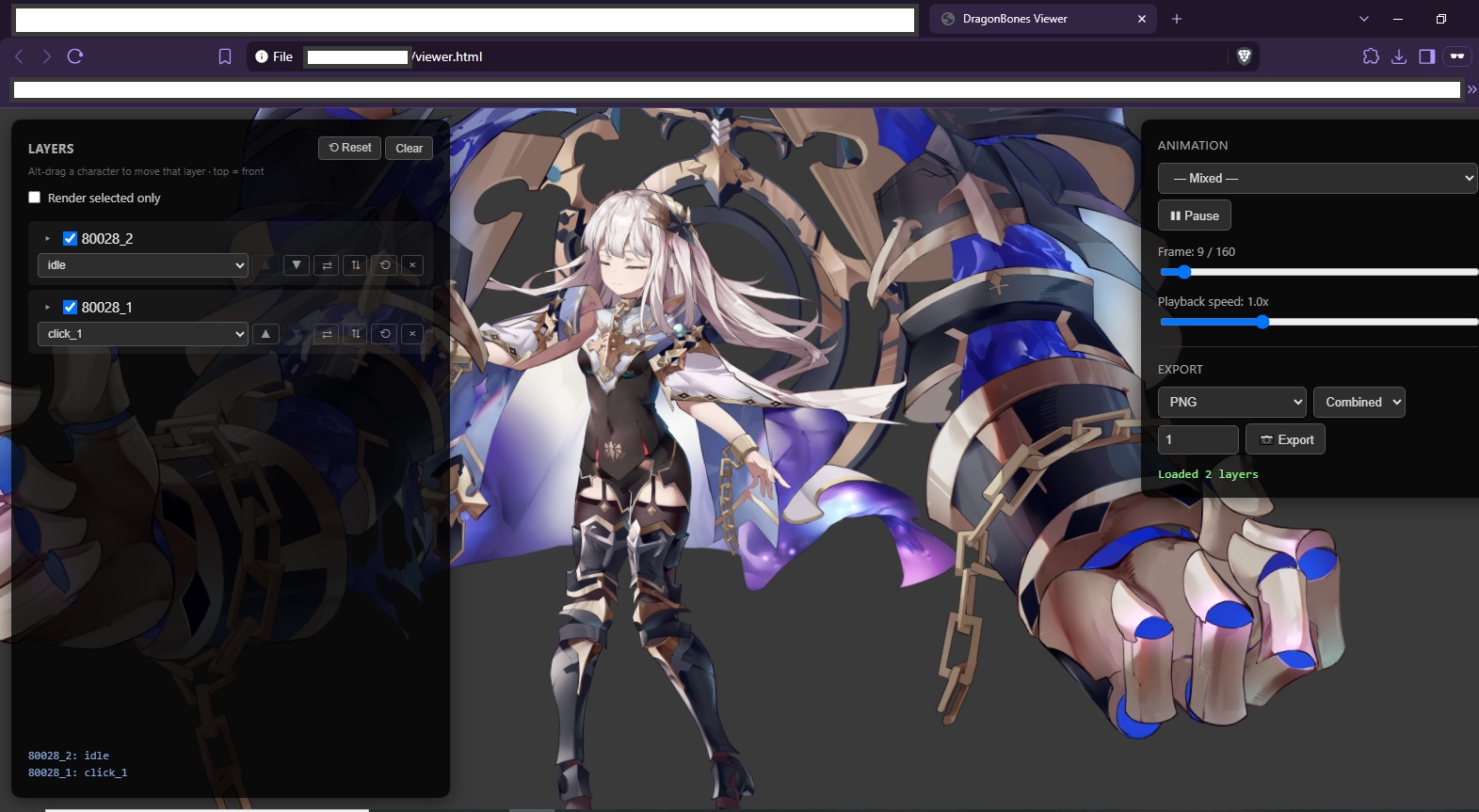
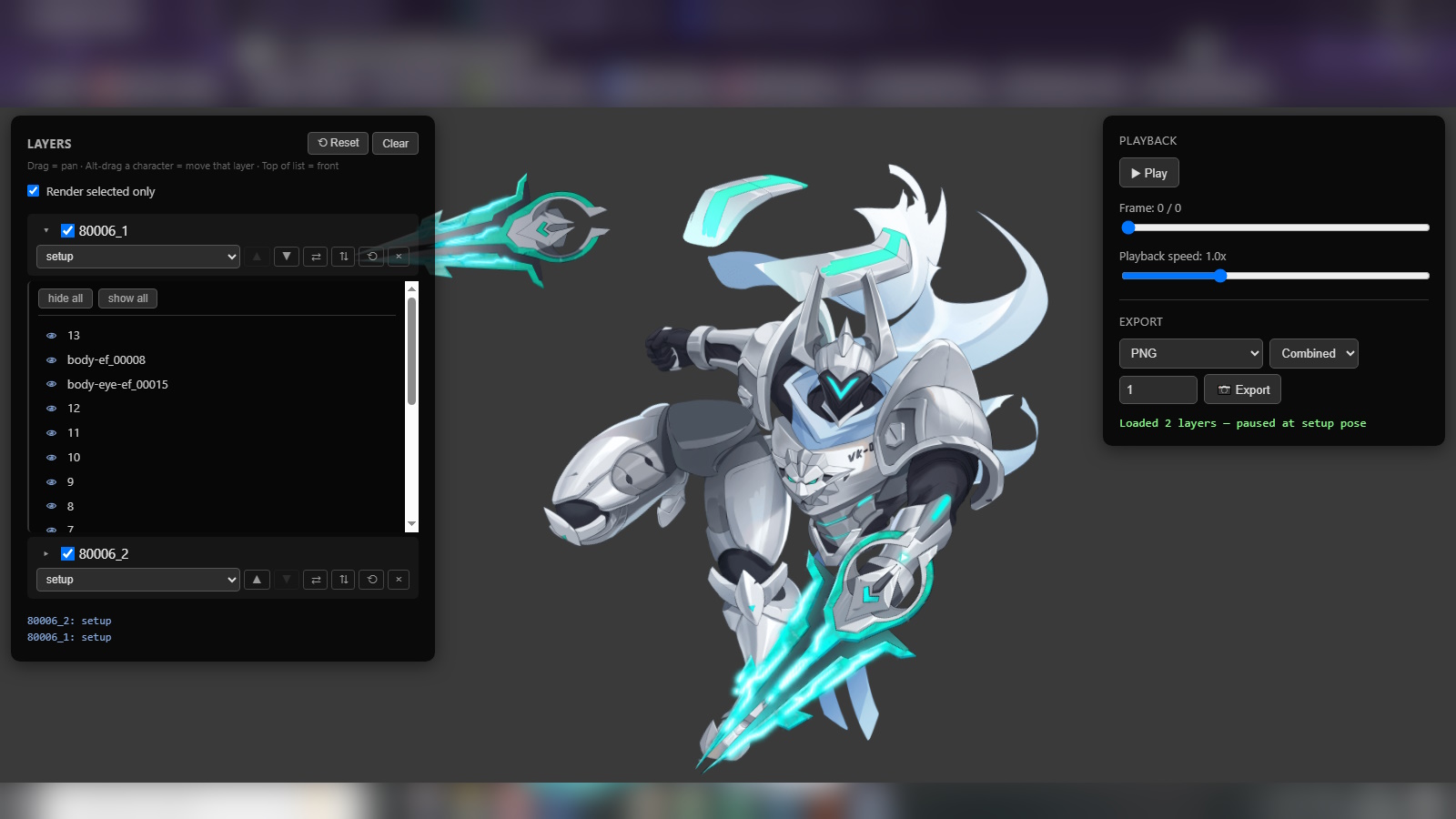
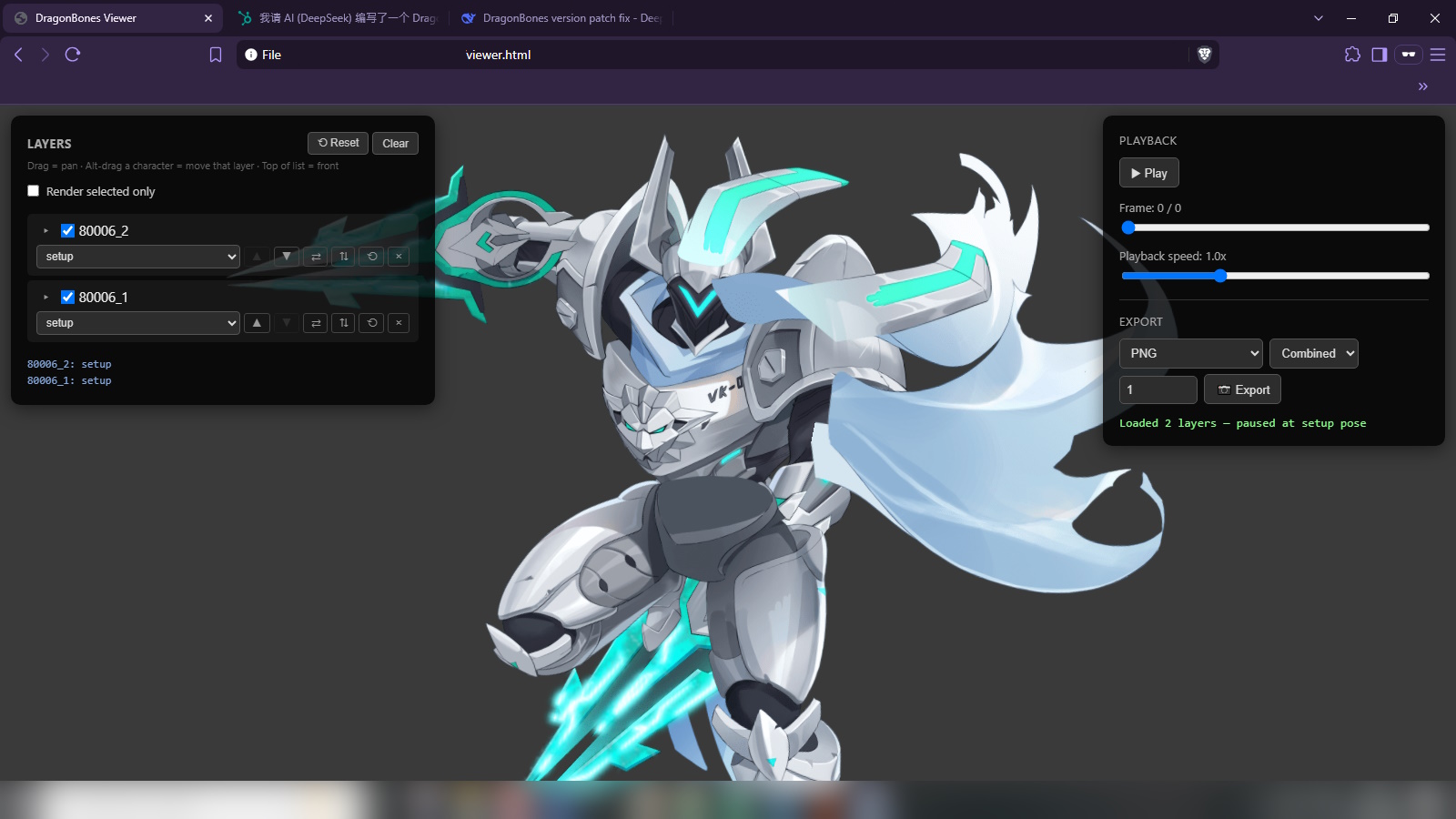
Basic usage: 在浏览器中打开 HTML 文件。(或者使用 .bat 文件自动启动本地服务器以拖入文件夹,我在相关说明中提到了原因。使用 .bat 需要安装 Python) 点击浏览,或将您的 DragonBones 文件或文件夹拖放到指定区域,也可以点击浏览。 成功加载文件后,请注意以下一些控制操作。 左侧面板用于图层设置(Layer Setups)和单独动画设置(Individual Animation Setups)。 使用鼠标左键/右键进行平移。使用 Alt + 鼠标左键可在屏幕上移动单个 DragonBones 骨骼。 勾选“仅渲染选中项”(Render selected only)以显示/隐藏选中的 DragonBones。默认情况下为不勾选。 DragonBones 左侧的小箭头用于显示各个图层。您可以隐藏单独的图层。 所有小图标都有各自的说明。 右侧面板包含动画播放设置(Animation playback setting)和导出设置(Export Setup)。
开发背景:
我很喜欢《史莱姆与地下城》(Slime and Dungeon) 中的角色立绘,于是下载了相关资源,解压后发现是 DragonBones 格式的文件。
我下载了 DragonBones Pro,却无法加载 .dbbin 文件;咨询 AI 后得知,这种格式其实是包含二进制数据的修改版 JSON。
而该软件只支持纯 JSON 格式。
于是我在网上进行了搜索。
虽然 DragonBones Viewer 这个网站可以加载它们,
而 https://www.loongbones.app/ 虽然大部分文件能正常显示,但也有部分文件存在问题。
鉴于这些现有方案无法完全满足我的个人需求,我便请 AI 帮我写了一个工具。
总之,情况就是这样。
English:
Hello everyone.
I asked AI(DeepSeek) to write a DragonBones viewer. It’s a an html file.
JSON or DBBIN format. It suports mainly version 4.5, 5.0 and 5.5 as I don’t have any other sample.
Functions:
- Viewing Animations, Multiple animation layer support.
- Capture Screenshot
- Export as Sprite Sheet, PNG Sequence and simple(limited) Webm. (The AI explains to me it’s mainly because it’s a limitation of browser rendering or something along those lines, I’m not an expert and don’t even use this feature as much so I leave it as that.
Tested:
DragonBonesPro\examples (Rooster_Ani, Ubbie, SwordsMan, Sheep_Ani, Bicycle)
史莱姆与地下城(Slime and Dungeon)
爱琳诗篇
日替わり内室
像素名将录 H5 https://game.zixia.com/game-xsmjlh > has been shut down
Just drag and drop your files or folder to the drop zones and you’re ready to go.
Note : It’s expected to load 3 file set(ske.json/dbbin, atlas.json, png)
Note 2 : Dragging folder only works if you set up a localhost(You might set it up yourself or use .bat that’s provided)
Basic usage:
Open the html to your browser. (Or use the .bat file to automatically start a localhost to drag folders, I’ve mentioned the reasoning. Python is required for the .bat
Click to browse or Drag and drop your DragonBones files or folder or click to browse.
After successfully loaded your files take notes of some control.
Left Panel is for Layer Setups and Individual Animation Setups.
Use left/right mouse to pan. Use alt + left mouse to move individual dragonbones across the screen.
Tick “Render selected only” to show/hide selected dragonbones. Unticked on default.
Little arrow left to the dragonbones to show individual layers. You can hide individual layer.
All little icons have their own descriptions.
Right Panel consist of Animation playback setting and Export Setup.
Some background as to why this is created
I took a liking to
史莱姆与地下城(Slime and Dungeon) character illustration So I downloaded it and when I unpack it they are dragonbone files.
I downloaded DragonBones Pro but couldn’t load the .DBBIN, asking AI they’re kind of modified json with some binary or something.
The software wants pure JSON.
So I searched online.
The website DragonBones Viewer could load it though
https://www.loongbones.app/ Most files are fine but some are kinda broken.
But for my personal use case they aren’t enough So I asked AI to do it for me.
Anyway that’s it.