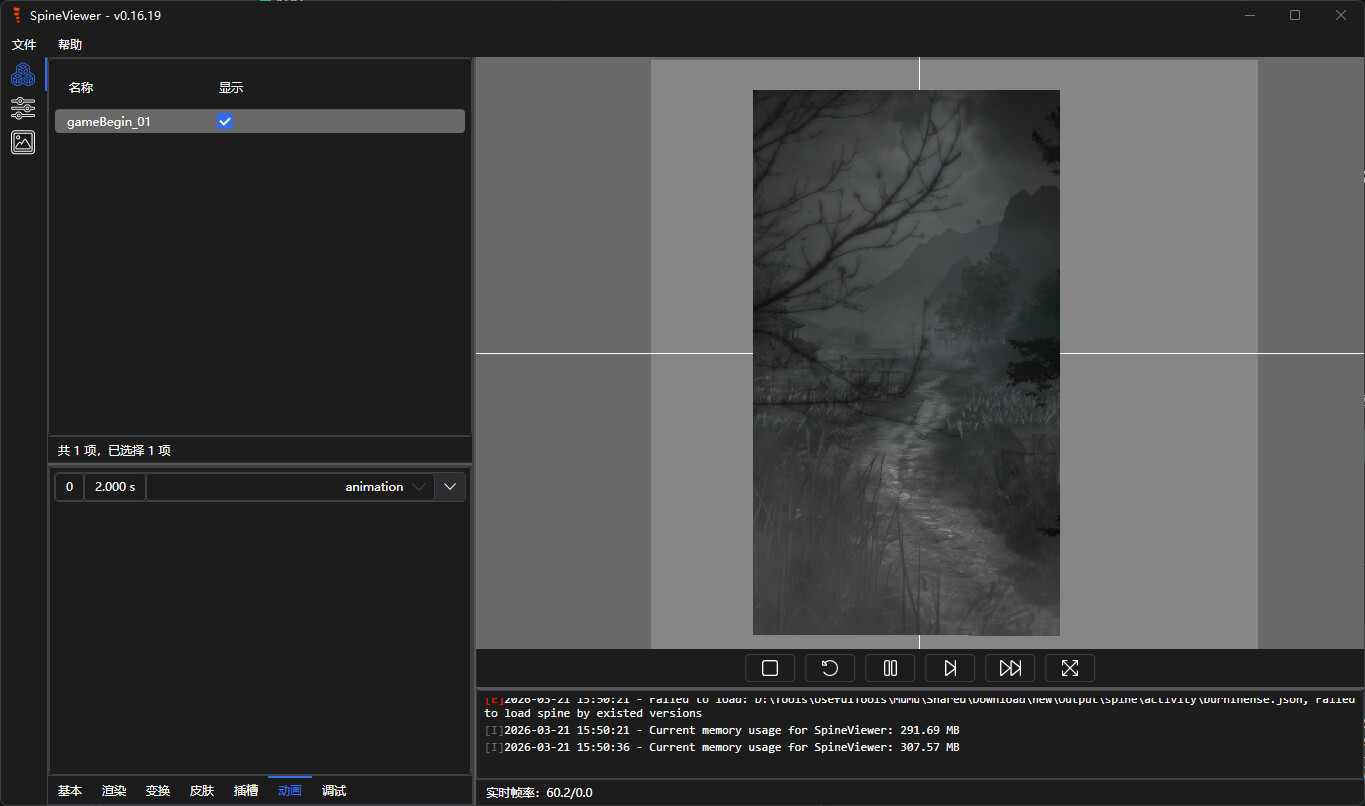
大佬捞捞!如题,最近开始在学习解cocos游戏时遇到了一个奇怪的问题,对散乱文件名还原后,spine资源的json文件缺少典型值,spine版本信息以及动作资源?而atlas和png则完全正常,目前在两款游戏中遇到了上述问题(彼岸倩影录(qoo下载,典型3a游戏,这里单独把spine所在文件夹用于求助)和叫我大掌柜)。
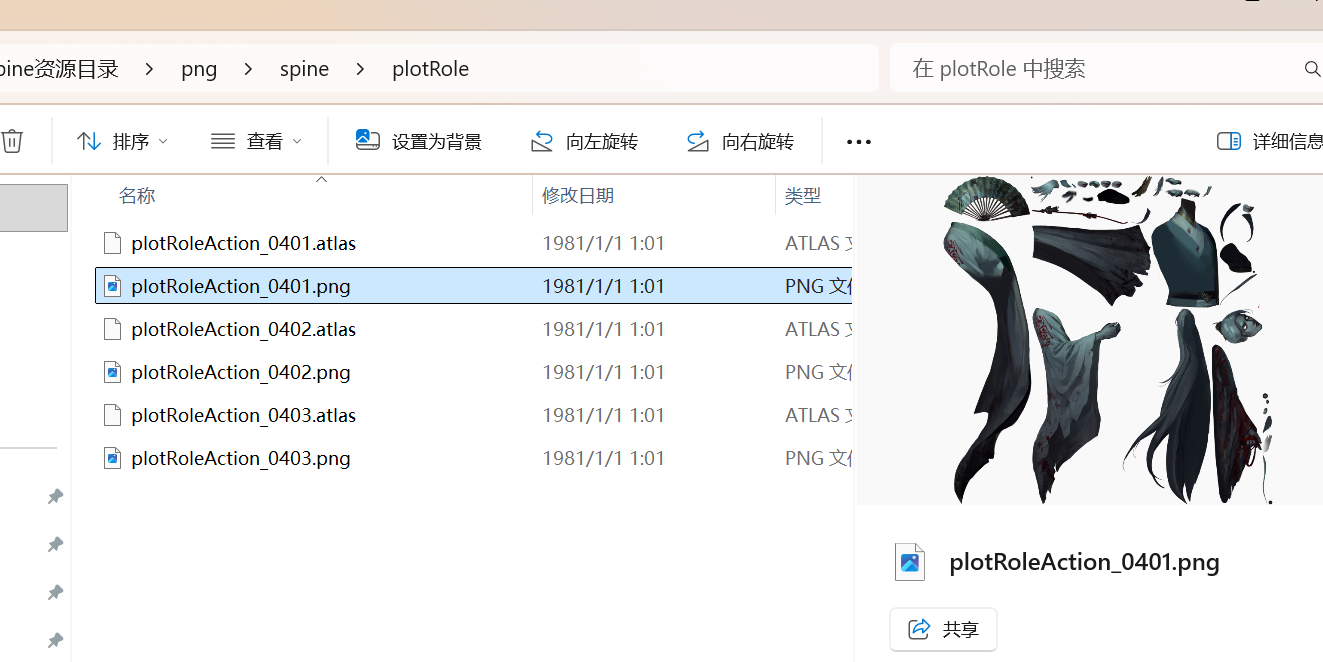
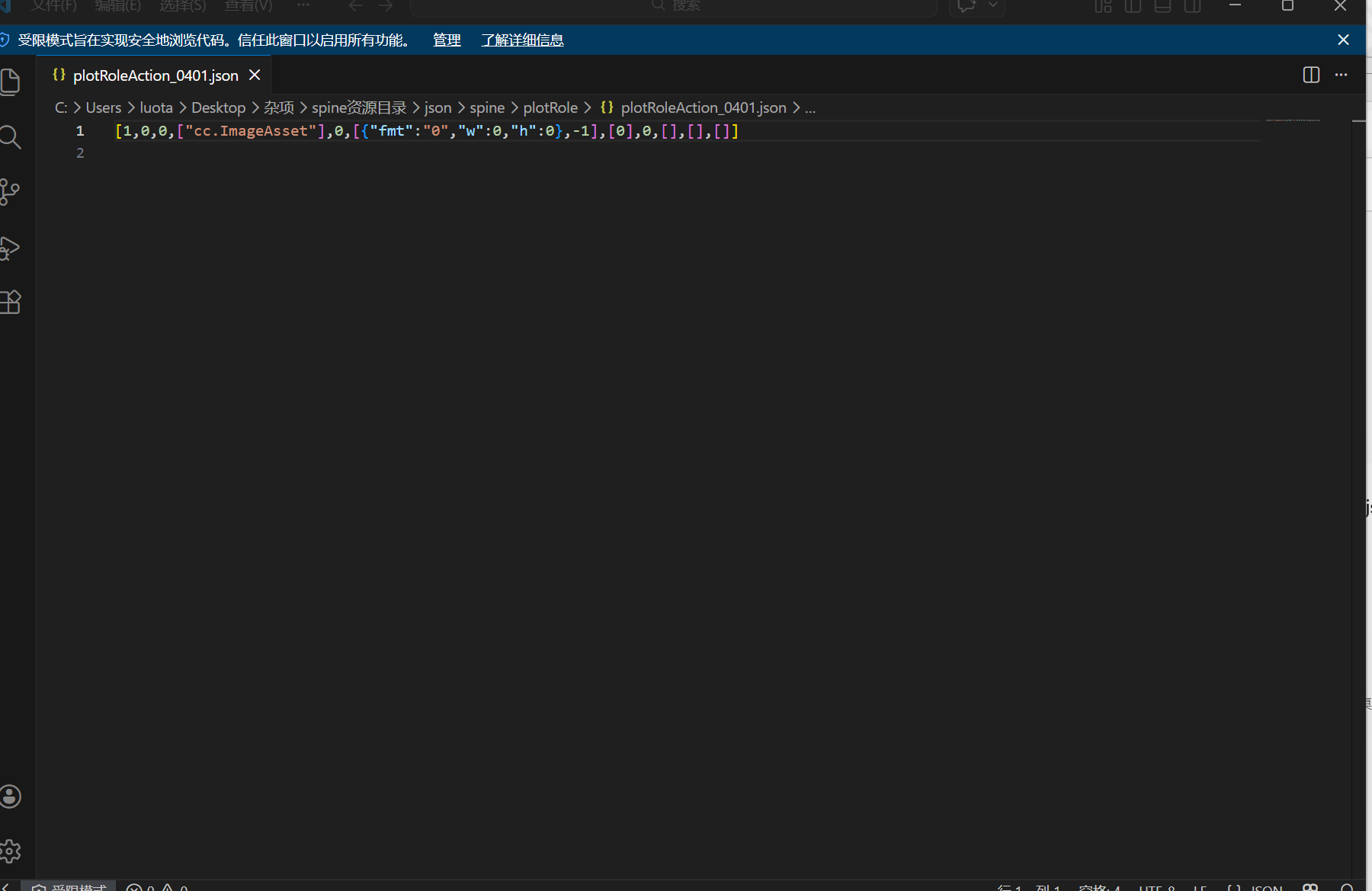
未还原前import(json所在文件)有120mb,而还原后只有40mb,初步判断json同绘笔西游一样拼接,但是还原文件名后很多数据直接缺失,导致直接卡住,不知道应该怎么做,希望大佬指点一下,万分感谢!
资源和脚本
import json
import os
import sys
import shutil
import re
from pathlib import Path
from typing import Dict, Tuple

# ================== 配置区 (在这里修改路径) ==================
# 注意:路径中的 \ 需要写成 \\ 或者 / ,或者在引号前加 r

# 1. 输入目录 (包含乱七八糟文件的文件夹)
INPUT_DIR = Path(r"C:\Users\luota\Desktop\杂项\spine资源目录\native")

# 2. 输出目录 (还原后的文件要去哪里)
OUTPUT_ROOT = Path(r"C:\Users\luota\Desktop\杂项\spine资源目录\png")

# 3. 配置文件路径
CONFIG_PATH = Path(r"C:\Users\luota\Desktop\杂项\spine资源目录\cc.config.json")

# ================== 核心逻辑函数 ==================

UUID36_RE = re.compile(r"^[0-9a-fA-F]{8}-[0-9a-fA-F]{4}-[0-9a-fA-F]{4}-[0-9a-fA-F]{4}-[0-9a-fA-F]{12}$")
BASE64_KEYS = "ABCDEFGHIJKLMNOPQRSTUVWXYZabcdefghijklmnopqrstuvwxyz0123456789+/="

def uuid_to_short_id(uuid_str: str) -> str:
    """将标准 UUID (36位) 压缩为短 ID (22位)"""
    if not UUID36_RE.match(uuid_str):
        return uuid_str
    clean_uuid = uuid_str.replace("-", "")
    res = [clean_uuid[:2]]
    for i in range(2, 32, 3):
        val = int(clean_uuid[i:i + 3], 16)
        res.append(BASE64_KEYS[(val >> 6) & 0x3F])
        res.append(BASE64_KEYS[val & 0x3F])
    return "".join(res)

def extract_id_from_filename(filename_stem: str) -> str:
    """从文件名提取 ID"""
    clean_name = filename_stem.split(".")[0]
    if UUID36_RE.match(clean_name):
        return uuid_to_short_id(clean_name)
    return clean_name

def build_mapping(config_path: Path) -> Dict[str, str]:
    """解析 config.json"""
    if not config_path.exists():
        print(f"[错误] 配置文件不存在: {config_path}")
        return {}
    try:
        with config_path.open("r", encoding="utf-8") as f:
            cfg = json.load(f)
        uuids = cfg.get("uuids", [])
        paths = cfg.get("paths", {})
        if not uuids or not paths:
            print("[警告] config.json 数据为空")
            return {}
        result_map = {}
        for key, path_list in paths.items():
            try:
                index = int(key)
                if 0 <= index < len(uuids):
                    short_id = uuid_to_short_id(uuids[index])
                    if path_list:
                        result_map[short_id] = path_list[0]
            except (ValueError, IndexError):
                continue
        print(f"✅ 成功加载映射表: {len(result_map)} 条")
        return result_map
    except Exception as e:
        print(f"[错误] 读取配置失败: {e}")
        return {}

def process_files(input_dir: Path, output_root: Path, error_dir: Path, id_map: Dict[str, str]):
    """核心处理循环"""
    # 确保目录存在
    output_root.mkdir(parents=True, exist_ok=True)
    error_dir.mkdir(parents=True, exist_ok=True)

    # 检查输入目录是否存在
    if not input_dir.exists():
        print(f"[严重错误] 输入目录不存在: {input_dir}")
        return

    files = list(input_dir.rglob("*"))
    print(f"🔍 发现 {len(files)} 个文件,开始处理...")

    success_count = 0
    fail_count = 0

    for src in files:
        if not src.is_file():
            continue

        file_id = extract_id_from_filename(src.stem)
        target_path = id_map.get(file_id)

        if not target_path:
            # 匹配失败 -> 移动至错误目录
            dest = error_dir / src.name
            try:
                shutil.move(str(src), str(dest))
                fail_count += 1
            except Exception as e:
                print(f"[!] 移动错误文件失败: {src.name}")
            continue

        # 匹配成功 -> 还原
        suffix = ".skel" if src.suffix.lower() == ".bin" else src.suffix
        dest = output_root / (target_path + suffix)

        try:
            dest.parent.mkdir(parents=True, exist_ok=True)
            shutil.move(str(src), str(dest))
            success_count += 1
        except Exception as e:
            print(f"[!] 还原失败 {src.name}: {e}")
            fail_count += 1

    print(f"\n========== 处理完成 ==========")
    print(f"成功: {success_count}")
    print(f"失败/未匹配: {fail_count}")

# ================== 主程序入口 ==================

def main():
    # 使用代码顶部配置的变量
    # 错误目录自动设在输出目录的同级
    error_dir = OUTPUT_ROOT.parent / "ERRORRes"

    print(f"📂 输入目录: {INPUT_DIR}")
    print(f"📤 输出目录: {OUTPUT_ROOT}")
    print(f"⚙️ 配置文件: {CONFIG_PATH}")

    # 执行
    id_map = build_mapping(CONFIG_PATH)
    if id_map:
        process_files(INPUT_DIR, OUTPUT_ROOT, error_dir, id_map)

    input("\n按回车键退出...")

if __name__ == "__main__":
    main()
https://drive.google.com/file/d/1GueBjvd_HiBQbBgK9G_nrA8tXLq1Eanp/view?usp=drive_link
抱歉忘了开共享了emm