muvluv girlsgarden解包求教 - #6,来自 qingliu v0.16.8版在这个spine资源的立绘表情差分不起作用
是否可以提供存在问题的spine文件资源(可以打包成zip贴在issue或者这里都行)
对于未来而言,大多数的spine动画不像交错战线那种拖动动作效果.动态壁纸不止于桌面,文件夹窗口随便切换也算是享受吧.
兄弟,我懂你,我特意写了个这样的程序:
1 个赞
n.zip (8.2 MB)
更新补充:才发现这现是用slot来表现眼睛动作…
恩。。。就是直接切换slot里的附件实现差分
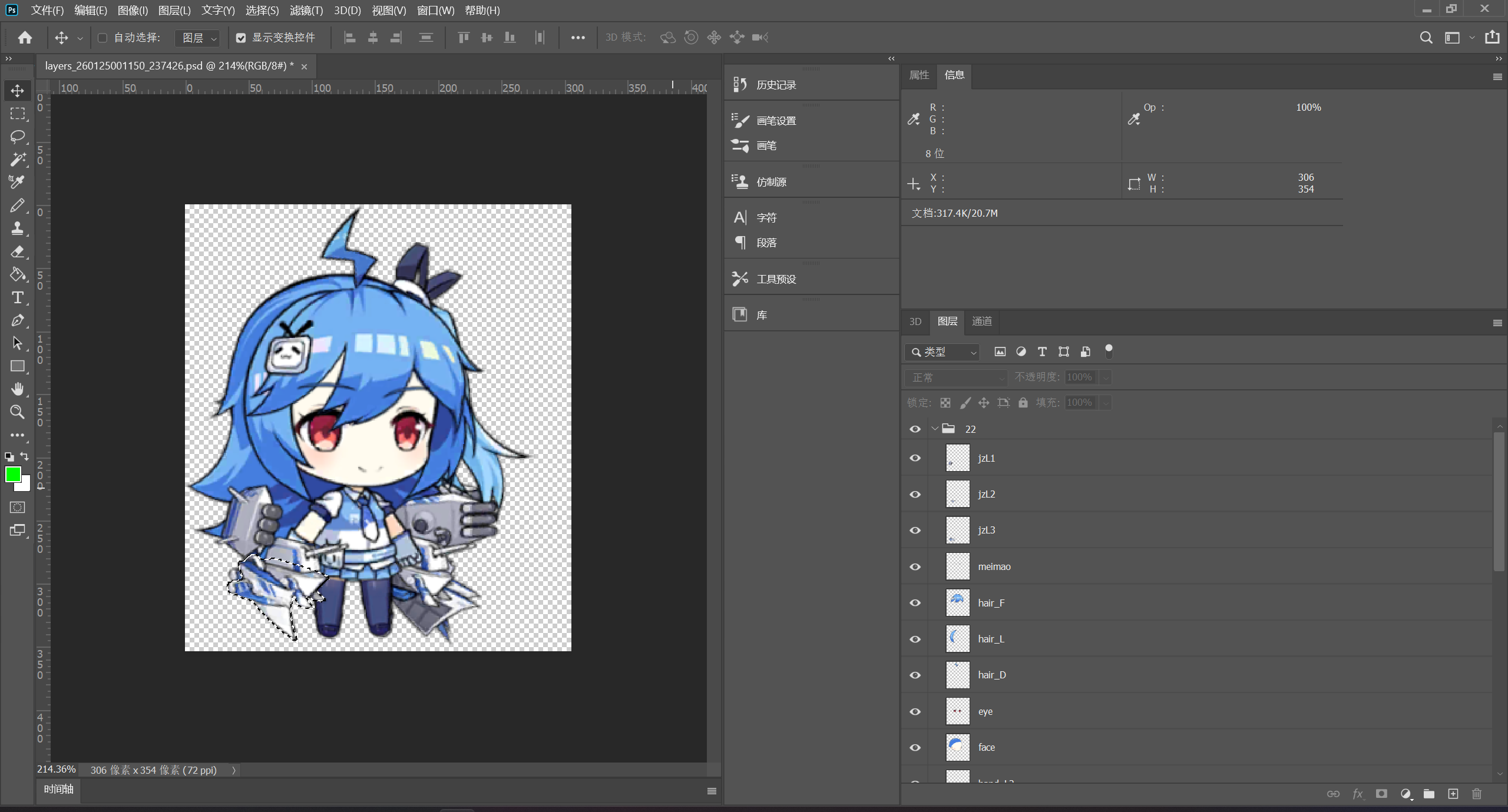
看来spine动画导出来的psd帧文件是不含背面slot…只不过要背面slot的用户/厂商目标恐怕是adobe/微软亚洲研究甚至meta这些搞将2d内容用ai算法变成了3d模型动画的需求,他们也不大可能找到这贴文 
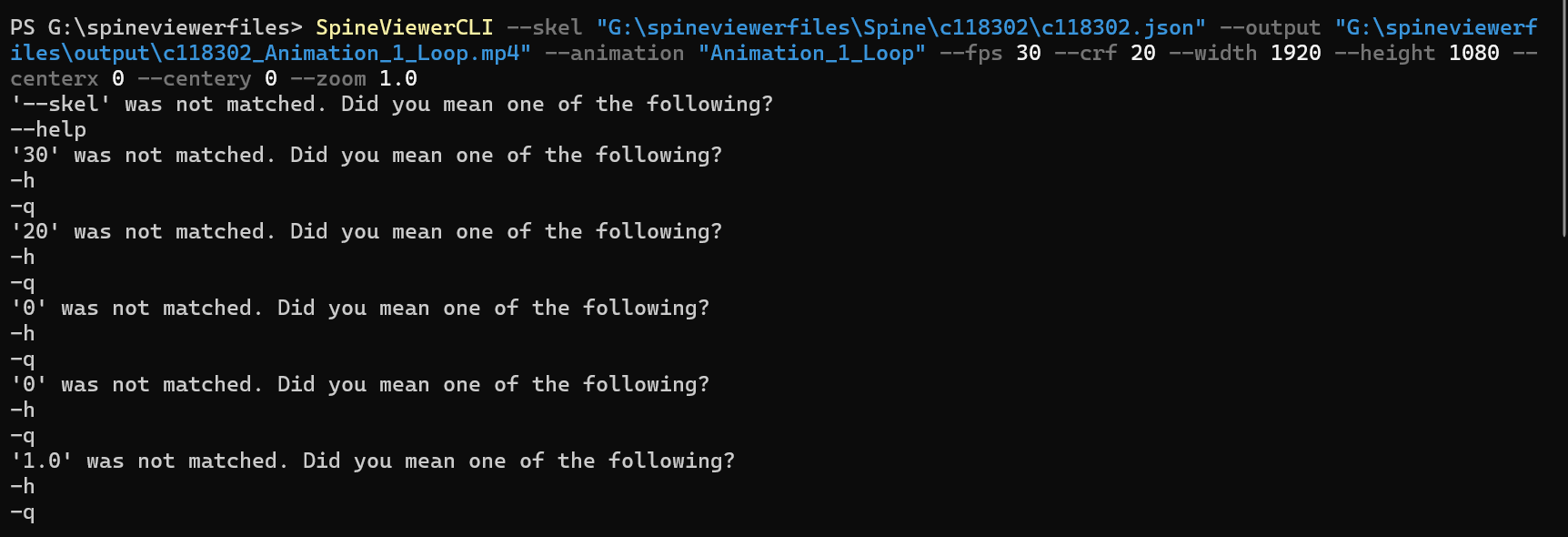
有一点小改动,并且增加了子命令,可以用-h看一下用法
D:\Projects\VsProjects\SpineViewer\out\Release\x64>SpineViewerCLI.exe -h
Description:
  Root Command

用法:
  SpineViewerCLI [command] [options]

选项:
  -q, --quiet     Suppress console logging (quiet mode).
  -?, -h, --help  Show help and usage information
  --version       显示版本信息

命令:
  query <skel>    Query information of single model
  preview <skel>  Preview a model
  export <skel>   Export single model


D:\Projects\VsProjects\SpineViewer\out\Release\x64>SpineViewerCLI.exe export -h
Description:
  Export single model

用法:
  SpineViewerCLI export <skel> [options]

参数:
  <skel>  Path of skel file.

选项:
  -f, --format                                                Export format.
  <Apng|Custom|Frames|Gif|Jpg|Mkv|Mov|Mp4|Png|Psd|Webm|Webp|
  Webpa> (REQUIRED)
  -o, --output <output> (REQUIRED)                            Output file or directory. Use a directory for frame
                                                              sequence export.
  -a, --animations <animations> (REQUIRED)                    Animations to export. Supports multiple entries, placed
                                                              in order on tracks starting from 0.
  --atlas <atlas>                                             Path to the atlas file that matches the skel file.
  --scale <scale>                                             Scale factor of the model. [default: 1]
  --pma                                                       Specifies whether the texture uses PMA (premultiplied
                                                              alpha) format.
  --skins <skins>                                             Skins to export. Multiple skins can be specified.
  --disable-slots <disable-slots>                             Slots to disable during export. Multiple slots can be
                                                              specified.
  --disable-track-loop                                        Disable track animation looping. When disabled, all track
                                                              animations will play only once.
  --warm-up <warm-up>                                         Warm-up duration of the animation, used to stabilize
                                                              physics effects. A negative value will automatically warm
                                                              up for the maximum duration among all animations.
                                                              [default: 0]
  --no-progress                                               Do not display real-time progress.
  --color <color>                                             Background color of content, omitted for PSD format.
                                                              [default: [Color] R(0) G(0) B(0) A(255)]
  --margin <margin>                                           Size of the margin (in pixels) around the content.
                                                              [default: 0]
  --max-resolution <max-resolution>                           Maximum width or height (in pixels) for exported images.
                                                              [default: 2048]
  --time <time>                                               Start time offset of the animation. [default: 0]
  --duration <duration>                                       Export duration. Negative values indicate automatic
                                                              duration calculation. [default: -1]
  --fps <fps>                                                 Frame rate for export. [default: 30]
  --speed <speed>                                             Speed factor for the exported animation. [default: 1]
  --drop-last-frame                                           Whether to drop the incomplete last frame.
  --quality <quality>                                         Image quality. [default: 80]
  --loop                                                      Whether the animation should loop.
  --lossless                                                  Whether to encode the WebP animation losslessly.
  --apng-pred <Avg|Mixed|None|Paeth|Sub|Up>                   Prediction method used for APNG animations. [default:
                                                              Mixed]
  --crf <crf>                                                 CRF (Constant Rate Factor) value for encoding. [default:
                                                              23]
  --mov-profile                                               Profile setting for MOV format export. [default:
  <Auto|High|Light|Proxy|Standard|Yuv4444|Yuv4444Extreme>     Yuv4444Extreme]
  --ff-format <ff-format>                                     format option of ffmpeg
  --ff-codec <ff-codec>                                       codec option of ffmpeg
  --ff-pixfmt <ff-pixfmt>                                     pixel format option of ffmpeg
  --ff-bitrate <ff-bitrate>                                   bitrate option of ffmpeg
  --ff-filter <ff-filter>                                     filter option of ffmpeg
  --ff-args <ff-args>                                         other arguments of ffmpeg
  -?, -h, --help                                              Show help and usage information
  -q, --quiet                                                 Suppress console logging (quiet mode).
你这个看着像是最早的社区贡献的命令格式,我之后自己整理重写过,做了比较完整的CLI工具命令
哦那我回去再研究一下,谢谢回复
看了下没有了之前的画面裁剪相关指令,后续会不会再加上?不裁剪导出的话有时候动画会有黑边
啥意思,是固定输出画面大小吗?
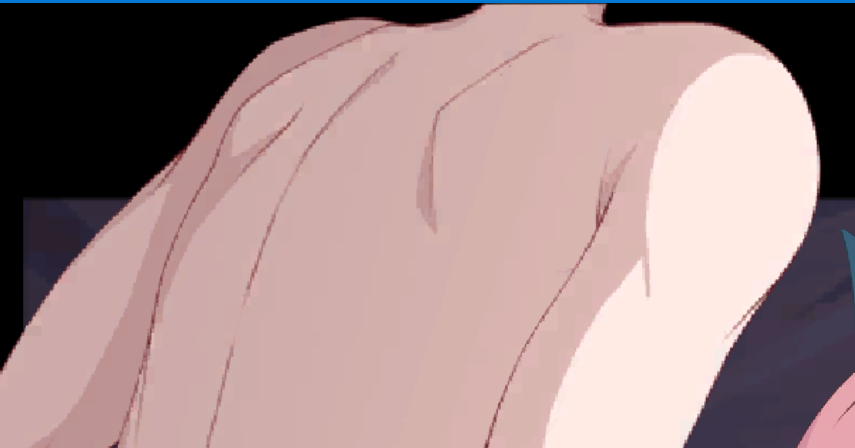
现在新的是直接根据动画内容自动设置分辨率(确保整个动画都被显示),然后可以限制分辨率最大值,目前没有加裁剪功能
另外你说的黑边是啥情况,可以发个模型或者给个详细示意吗
c118302.rar (1.5 MB)
你可以看看这个,直接导出的话会将画面外的部分也录进来,像之前那个指令设置中心点和分辨率的话就能导出和游戏内一样的画面
看了一下,也就是对于这类场景(游戏)的spine,是可以通过固定视窗的中心点和宽高(固定机位)来框选一个固定的区域进行动画导出
之后的版本加一下好了,把画面XY以及手动分辨率作为可选参数加进去(因为大部分动画是直接自动分辨率导出一个主体人物,所以命令行参数只保留了自动分辨率的方式导出)
可以去开个issue
v0.16.21 加了 --fixed-view选项,如果使用这个选项会忽略 --max-resolution 选项
--fixed-view <fixed-view>

Manually set a fixed export view. Format: `arg1=value1[,arg2=value2][...]`. Each parameter is specified as `name=value` and separated by `,`. Supported parameters are `w=uint,h=uint,x=float,y=float,s=float`, representing canvas width and height (in pixels), view center coordinates, and view scale.
比如 --fixed-view "w=1200,h=1000,x=-100"
1 个赞
大佬您好,我在使用您的工具时碰见一点问题,即无法将动画导出为视频,询问ai后,得到的回复如下“这个 NullReferenceException(未将对象引用设置到对象的实例)错误,通常指向程序内部一个与 RenderTexture 渲染纹理对象生命周期管理相关的缺陷。”,使用ai推荐的方法后依旧没有得到解决,希望您可以帮助我解决该问题,感谢
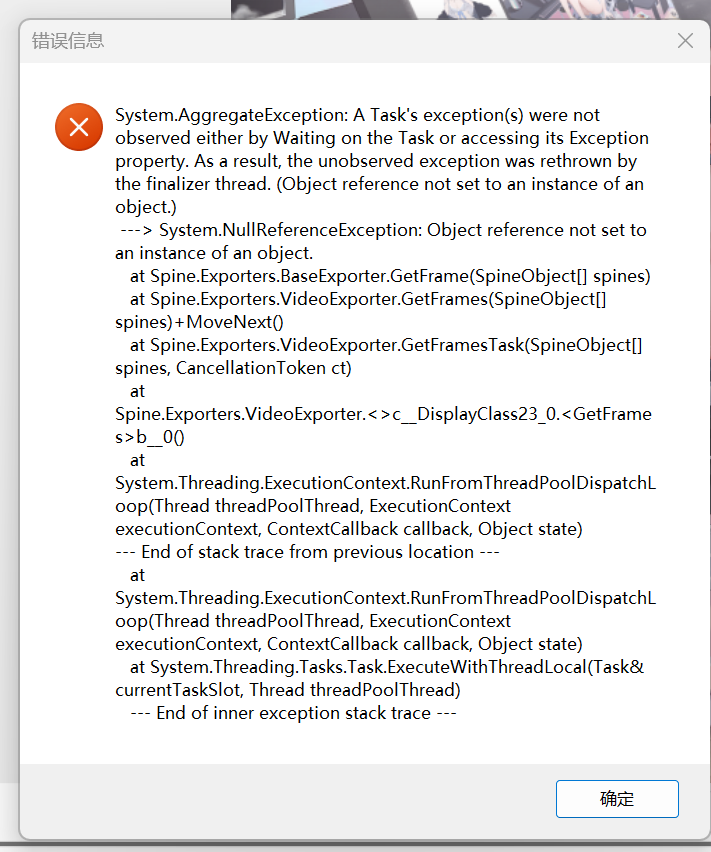
是最新的版本吗,贴一下完整的日志文件